Reading at the Computer: Types of Glasses Commonly Used
If your eyes feel tired, dry, or blurry by 3 p.m., your computer may not be the only factor your current glasses might not be helping. Certain lens designs may not be well-matched to how you use your screens.
This article outlines types of glasses that are commonly used at typical computer distances and describes how different lens features are often discussed. The goal is to help you understand lens options and terminology so you can have a more informed conversation with an eye care professional.
We’ll clarify the types of glasses often used at computer distance, how they differ from standard reading glasses, and how add-ons (like coatings or blue-light filters) are commonly described.
By the end, you’ll have an overview of single-vision computer-focused glasses, office progressives, and over-the-counter readers, plus general setup tips that many people consider when spending time at a computer.
Why Computer Reading Is Different From “Normal” Reading
Computer work often takes place in an in-between zone: not as close as a book, not as far as driving distance. Many people use 20-28 inches as a natural monitor distance, which means traditional distance-only glasses or standard reading glasses may not line up perfectly with that range.
On top of that, screens are bright, backlit, and full of small text. Glare and reflections can make it harder to see your screen clearly. If your lenses don’t have anti-reflective coating or if your prescription is not selected with your typical working distance in mind, you may find yourself adjusting your focus or viewing position more often.
Need (or want) new glasses or sunglasses?
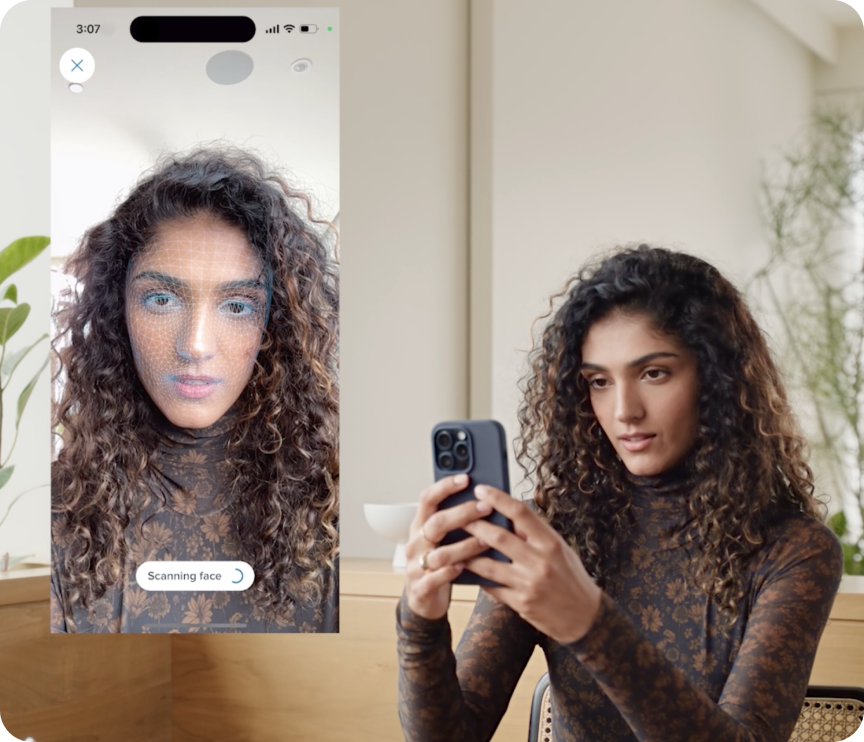
Virtually try on frames from home—or visit a nearby store
There’s also a behavioral component. When focusing on screens, people may blink less frequently. The Cleveland Clinic notes that computer use is commonly associated with reports of eye strain, irritation, burning, and dryness, in part due to reduced blink rate during prolonged screen viewing. These types of symptoms are often reported by people who spend extended time on digital devices.
Because of these factors, discussions around screen use often include considerations such as lens power, lens design, and coatings, alongside screen distance, age-related changes like presbyopia, and the number of hours someone typically spends working at a computer.
Types of Glasses for Reading at the Computer
Single-vision computer-focused glasses These are set to a single focusing distance,often chosen around a person’s main monitor distance. They’re commonly selected by people who spend most of their day on one screen at a relatively consistent arm’s-length position. Compared with standard distance lenses, they are often used for tasks at intermediate viewing ranges, such as computer work.
Office or “computer” progressives These lenses provide zones for near and intermediate tasks (like keyboards, documents, and screens), but typically do not prioritize far distance activities such as driving or walking around. Guidance from professional organizations discussing digital work notes that lens designs aimed at intermediate and near tasks can be one strategy considered when people spend significant time at a desk. Office progressives are often used by people who move their gaze between multiple screens and paperwork.
- Standard reading glasses: Typically selected for closer book distance (about 14-16 inches). They are commonly used for print or close tasks and may feel quite strong at a farther monitor distance.
- Over-the-counter readers: Widely available and convenient, but they don’t account for astigmatism, eye-to-eye prescription differences, or a specific screen distance.
- Traditional distance glasses: Often optimized for far tasks like driving or viewing presentations. For some people, these may not provide the clarity they prefer at typical monitor distances.
For many people over 40 with presbyopia, single-vision lenses set for an intermediate range or office progressives are commonly discussed as options for computer-related tasks. Younger users may use standard single-vision lenses that are selected around their typical working distance. An eye care professional can explain which approaches may be appropriate for your specific prescription and daily activities.
Lens Features Often Considered for Screen Use
Reflection Resistant coating Reflection resistant coating is a commonly selected add-on for screen use. It is designed to decrease the appearance of reflections from monitors and overhead lights on the lens surface, which can affect the amount of reflections you notice on your lenses and how easily you perceive contrast on-screen.
Ready for an exam?
Our optometrists can recommend the right eyewear for your astigmatism
Computer-optimized power Some people measure the distance from their eyes to their primary screen and share that information during an eye exam. Sharing that distance and your typical viewing setup with your eye care provider is one factor they may consider when determining how your prescription is applied.
Tints and photochromics Light tints and photochromic (light-responsive) lenses are sometimes chosen by people who spend time under bright office lighting, move frequently between indoors and outdoors, or who prefer a different visual experience. Photochromic lenses that darken outdoors can be convenient if you move between inside and outside frequently, though they may not always change as much under typical indoor lighting. For many users, a clear lens with an anti-reflective coating is a commonly used option for desk work.
Final Thoughts on Glasses for Reading at Computer Distance
Glasses used for reading at computer distance are not a one-size-fits-all product. Common factors people consider include a prescription that takes screen distance into account, a lens design that aligns with their typical tasks (for example, single-vision intermediate or office progressives for many adults), and practical features like reflection reducing coating.
When you’re ready, consider scheduling an eye exam and sharing with your provider how you typically use your screens: how many devices, approximate distances, and how many hours per day. Bringing information about your setup may help them discuss computer or office lens options and coatings that align with how you typically use screens.
If you’ve tried different glasses and still have concerns about how you feel while using screens, many people also look at their habits and environment: following general screen break guidelines (like the commonly cited “20-20-20” rule), remembering to blink, and adjusting screen height or viewing distance. If your eyes feel dry while using screens, talk with an eye care professional about options they may recommend.
For many people, a combination of eyewear choices and ergonomic adjustments is part of how they approach long computer sessions.
Want to try on a few frames?
Try on any pair virtually from home
Frequently Asked Questions
Do I really need glasses specifically for reading at a computer?
If you spend several hours a day at a screen, some people choose glasses that are selected with their typical working distance and screen setup in mind. An eye care professional can help you understand whether any changes to your current prescription or lens type are appropriate for you.
Are blue-light glasses necessary for computer work?
Some people like them; others do not notice a major difference. Your eye care provider can explain how these lenses fit into current evidence and practice.
What’s the difference between reading glasses and computer glasses?
Reading glasses are typically selected for closer book distance, while glasses used at a computer are often chosen with an intermediate monitor distance in mind. Some people find that using reading glasses at a screen changes how they sit or position their head compared with lenses selected for intermediate tasks.
Can progressive lenses be used for computer work?
Some people use progressive lenses at the computer. Standard progressives are often designed to prioritize distance, intermediate, and near zones within a single lens. Office or computer-oriented progressives may allocate more lens area to near and intermediate zones, which some users prefer for desk-based tasks. Your eye care professional can discuss how different progressive designs relate to your prescription and daily activities.
How do I figure out my computer screen distance?
Sit as you normally would and measure from the bridge of your nose to the center of your main monitor. Sharing that measurement with your eye doctor can provide additional context when you talk about how you use your screens.
Will glasses used for computer work address all aspects of digital eye strain?
Glasses and lens designs can address one aspect of how you see your screen, but habits and environment also play a role. Screen breaks, blinking, lighting, posture, and other factors are often part of broader discussions about comfort at the computer. If you have persistent or worsening symptoms, consult an eye care professional.
Citations
Computer Vision Syndrome
https://my.clevelandclinic.org/health/diseases/24802-computer-vision-syndrome
Disclaimer: This article is for general informational and educational purposes only and is not medical advice, diagnosis, or treatment. It does not create a doctor-patient relationship and should not be used as a substitute for professional eye care or medical guidance. Always consult a qualified eye care professional or other health care provider with questions about your vision, eyes, or overall health. Do not ignore or delay seeking professional advice because of something you have read here. If you experience sudden changes in vision, eye pain, or any other concerning symptoms, contact an eye care professional or seek urgent medical care. In an emergency, call 911 (or your local emergency number) immediately.
Need Glasses?
Shop prescription glasses starting at $95